

Introduction
Digital learning environments have transformed modern education, bringing boundless resources directly to student screens. However, this digital shift introduces significant challenges for educators striving to maintain focus inside the classroom. When students have unrestricted access to the internet, distractions like social media, gaming, and unauthorized browsing can easily derail lesson plans. This is where specialized classroom management tools come into play, helping teachers bridge the gap between technology integration and productive student engagement.
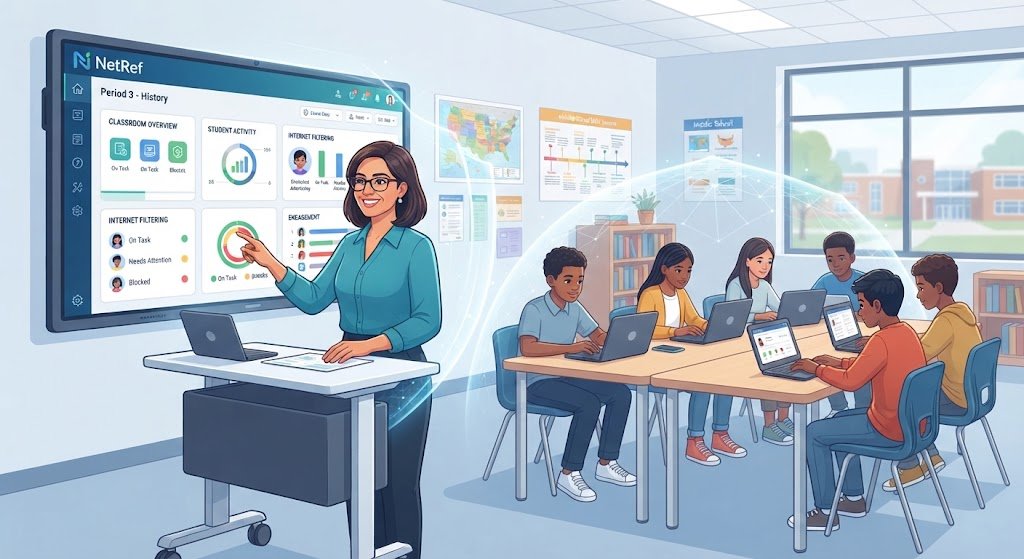
Managing a room full of digital devices requires more than just traditional classroom discipline; it demands real-time visibility into what students are viewing and doing online. Educators need solutions that allow them to guide digital behavior without constantly walking up and down every aisle. NetRef addresses this exact need by providing schools and teachers with a centralized platform to monitor, manage, and optimize internet usage across various devices and networks. By empowering teachers with actionable insights and flexible controls, the software helps transform connected devices from potential distractions into powerful learning instruments.
Table
Understanding the Core Architecture of Digital Oversight
Modern educational technology relies heavily on robust infrastructure to function smoothly across diverse school networks. Classroom management tools must integrate seamlessly with existing school IT frameworks, whether students use school-issued Chromebooks, tablets, or personal laptops. The underlying architecture of such software typically combines cloud-based management consoles with lightweight local agents installed on student devices. This dual approach ensures that monitoring remains consistent, fast, and reliable regardless of whether students are learning inside a traditional brick-and-mortar classroom or logging in from home.
IT administrators value solutions that minimize administrative overhead while maximizing network security and compliance. When setting up a digital oversight system, administrators can define district-wide policies, while individual teachers retain the flexibility to customize rules for their specific class periods. This hierarchical control structure prevents conflicts between school safety regulations and dynamic classroom activities. Furthermore, maintaining low latency is critical; if a teacher blocks a distracting website, the restriction must apply immediately to keep the learning momentum intact. By balancing security with usability, these platforms ensure that technology infrastructure supports rather than hinders daily academic routines.
Enhancing Student Focus and Engagement in Connected Classrooms
Keeping students engaged in a digital world requires proactive strategies rather than reactive discipline. When educators can see student screens at a glance, they can redirect wandering attention before a student falls behind on the assignment. This constant line of sight fosters a more focused atmosphere where digital tools are used purposefully. Instead of fighting a losing battle against hidden tabs and chat windows, teachers can use management software to direct the entire class to a specific educational resource simultaneously, saving valuable instructional time.
Engagement also involves teaching students responsible digital habits rather than just enforcing strict limitations. When restrictions are transparent and applied fairly, students learn to self-regulate their internet consumption over time. Teachers can use the visibility provided by management platforms to initiate meaningful conversations about digital citizenship, time management, and online safety. By treating digital literacy as an essential life skill, schools help learners transition into responsible digital citizens who understand how to balance productivity with entertainment in a connected society.
Empowering Educators with Real-Time Visibility and Control
Teachers often express frustration over the invisible barrier that glowing screens create between them and their students. Traditional monitoring methods, such as scanning the room physically, often fail when students quickly switch windows at the sound of approaching footsteps. Software solutions eliminate this cat-and-mouse dynamic by offering a unified dashboard that displays thumbnail views of all connected student screens in real time. This immediate awareness gives teachers the confidence to facilitate technology-driven lessons without worrying about losing control of the room.
Beyond simply watching screens, effective classroom control involves the ability to take immediate corrective or supportive action. If a student is struggling with a concept and looking at the wrong resource, the teacher can privately push the correct link directly to their device. Conversely, if a student is willfully ignoring instructions, the instructor can temporarily lock the screen or restrict internet access to regain attention. These granular controls ensure that teachers can tailor their management style to individual situations, applying gentle guidance or firm boundaries as needed to maintain a productive learning flow.
Streamlining IT Administration and Network Security
While teachers interact primarily with the classroom dashboard, school IT departments rely heavily on the backend management capabilities of digital oversight tools. Educational institutions face strict regulatory requirements regarding student data privacy and online safety, making robust filtering and logging indispensable. IT administrators must ensure that internet policies comply with federal regulations while still accommodating the dynamic research needs of advanced high school or university courses. Centralized management consoles allow technical staff to update filtering rules district-wide within minutes, drastically reducing maintenance workloads.
Security extends beyond compliance into the realm of network performance and resource allocation. Unmonitored streaming, gaming, and unauthorized downloads can easily choke a school’s bandwidth, causing lag that disrupts online testing and research for everyone. Comprehensive management platforms provide detailed analytics regarding bandwidth consumption and popular domains, giving administrators the data they need to optimize network capacity. By identifying bandwidth bottlenecks and potential security threats early, IT teams can maintain a safe, fast, and reliable digital ecosystem for the entire school community.
Supporting Hybrid and Remote Learning Environments
Education no longer stops at the classroom door, and digital management tools must adapt to fluid learning models that blend in-person instruction with remote study. Whether students are quarantined at home, participating in a hybrid schedule, or completing asynchronous homework assignments, maintaining a connection to school resources is vital. Software designed for digital oversight extends its protective and instructional boundaries beyond the physical school network, ensuring that students remain on task and supported regardless of their physical location.
Remote learning introduces unique challenges, such as a lack of direct adult supervision and increased susceptibility to digital fatigue or distraction. Cloud-based management tools allow teachers to host virtual check-ins, share screens, and maintain communication lines with remote learners effectively. Administrators can also ensure that school-issued devices remain secure and filtered even when connected to home Wi-Fi networks. This seamless continuity between school and home environments helps bridge the digital divide, ensuring equitable access to education and consistent behavioral standards across all learning modalities.
Bridging the Gap Between Digital Freedom and Academic Safety
Striking the right balance between giving students the freedom to explore and maintaining a safe academic environment is one of modern education’s greatest balancing acts. Overly restrictive systems can stifle curiosity and prevent students from developing essential digital research skills. Conversely, completely open environments expose young learners to inappropriate content and severe distractions. Effective digital management platforms provide a middle ground, allowing educators to create walled gardens of safety while still permitting open-ended inquiry and creativity within safe parameters.
This balance relies on dynamic policy enforcement that can adapt to different age groups and subject matters. Elementary students require vastly different internet boundaries compared to high school seniors preparing for college-level independent research. Management software allows schools to tier their security and monitoring settings based on grade levels, ensuring age-appropriate digital experiences. By fostering an environment where safety protocols feel natural rather than punitive, schools cultivate a culture of trust where students feel protected while exploring the vast landscape of human knowledge.
Measuring the Impact of Technology on Student Performance
Integrating technology into the classroom is a significant financial and operational investment, making data-driven evaluation essential for school leaders. Administrators need to know whether digital tools are actually improving academic outcomes or simply serving as expensive distractions. Classroom management platforms often include robust analytics engines that track how frequently specific digital resources are used, how much time is spent on task, and how different student demographics interact with online learning modules.
These insights enable instructional coaches and school principals to make informed decisions about curriculum software purchases and professional development programs. If data shows that a particular digital textbook or learning app is rarely used, schools can reallocate budgets toward more effective resources. Furthermore, correlating screen-time management data with standardized test scores or classroom grades helps educators identify best practices. Ultimately, continuous evaluation ensures that technology serves a clear educational purpose, driving measurable improvements in student achievement and institutional efficiency.
FAQs
-
What is the primary purpose of NetRef in a classroom? The software is designed to help teachers monitor student internet activity, manage digital distractions, and guide online learning in real time.
-
Can teachers block specific websites during a lesson? Yes, educators can use custom filtering options to allow or block specific websites or applications for individual students or the entire class.
-
Does the software work on all types of student devices? It typically supports multi-platform environments, including Chromebooks, Windows, Mac, and mobile devices, making it ideal for Bring Your Own Device setups.
-
How does the platform assist school IT administrators? It provides centralized network visibility, bandwidth analytics, compliance reporting, and district-wide policy enforcement to reduce administrative workloads.
-
Is student privacy protected when using this monitoring software? Yes, reputable educational management tools comply with strict student privacy regulations, focusing monitoring strictly on academic network usage and device activity during school hours.
Conclusion
Navigating the complexities of modern educational technology requires tools that empower teachers, protect students, and simplify IT administration. As digital devices become permanent fixtures in learning spaces, the need for balanced oversight has never been more critical. Solutions that combine real-time screen visibility, flexible content filtering, and robust analytics play a pivotal role in keeping students focused and safe. By shifting the focus from policing behavior to guiding digital habits, these platforms help educators foster productive, engaging, and secure learning environments.
Ultimately, successful technology integration depends on how well tools support the human elements of teaching and learning. Software solutions act as a bridge, removing the friction caused by digital distractions and allowing educators to concentrate on instruction and mentorship. When teachers have clear insights into student engagement, they can tailor their approach to meet diverse learning needs effectively. Investing in reliable classroom management infrastructure ensures that digital classrooms remain places of genuine discovery, focus, and academic growth.